

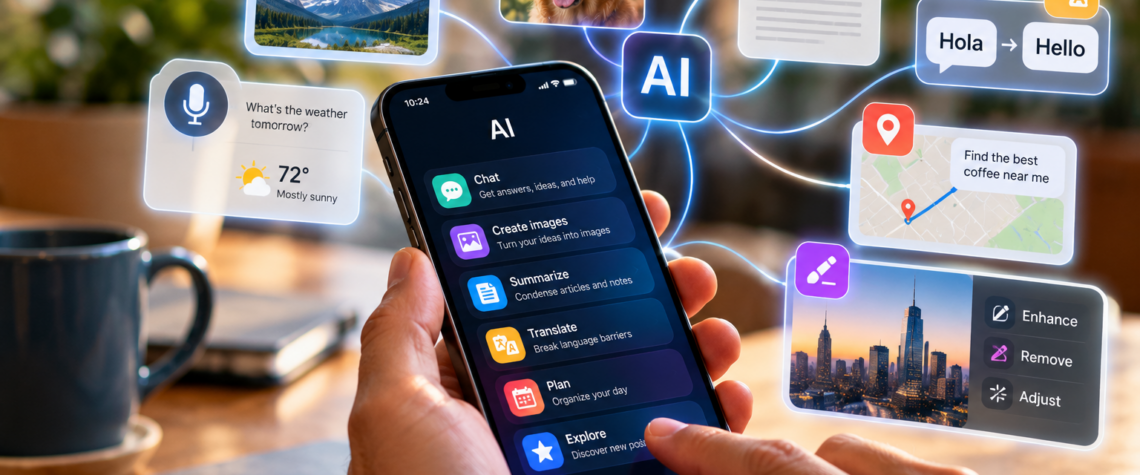
AI is moving from the computer into the device you carry everywhere. From understanding what your camera sees to translating conversations and summarizing documents, here are practical ways to use AI on your phone today.
For years, using a smartphone meant opening an app and telling it exactly what to do. Open Maps. Search for an address. Open the camera. Take a photograph. Open your email. Find a message.Artificial intelligence is beginning to change that relationship. Instead of navigating through menus and applications, increasingly we can simply tell the phone what we want to accomplish. And that may turn out to be a much bigger change than adding another app to the screen.
Start with the simplest thing: ask
You don’t need to understand artificial intelligence to use it. Open an AI assistant on your phone and ask a question the same way you might ask another person. For example: “I’m going to Chicago for three days. Help me plan what to do.” Then continue: “I don’t want an expensive trip.” “Which neighborhood should I stay in?” “Give me a walking itinerary for Saturday.” Instead of performing several separate searches, you can develop the answer through conversation. The important skill is surprisingly simple:Keep asking. Your first question doesn’t have to be perfect.
Point the camera at something you don’t understand
The camera is becoming one of the most interesting ways to use AI. Instead of photographing something merely to preserve the image, you can photograph it because you want to understand it. Imagine receiving a complicated letter from an insurance company. Take a photograph and ask: “Explain this in plain English. What is this letter asking me to do? “Or point the camera at a plant: “What kind of plant might this be, and how should I care for it?” Traveling abroad? Photograph a sign or menu and ask for a translation. Looking at an unfamiliar object? Ask what it is. The camera is gradually becoming more than a camera.It is becoming a way to ask questions about the physical world.
Let AI help you write
Writing on a small screen can be frustrating. AI can help draft or improve text without requiring you to sit at a computer. You might write: “Tell Maria I can’t attend dinner tonight, but make it warm and apologetic.” Or paste an email you’ve written and ask: “Make this shorter and friendlier.” You can use the same approach for invitations, messages, complaints, social-media posts or notes. But always read the result before sending it.AI can help write the message. It shouldn’t decide what you mean.
Summarize what you don’t have time to read
Phones give us access to enormous amounts of information. They also give us enormous amounts of information we don’t have time to read. AI can help. Depending on the application you’re using, you may be able to share or paste an article, email or document and ask: “Give me the five most important points.” Then: “Which part requires me to do something?” Or: “Explain the third point in simpler language.” This is where conversational AI becomes especially useful. A summary doesn’t have to be the end of the process. It can be the beginning of a conversation about the document.
Use AI while traveling
Travel may be one of the most natural uses for AI on a phone because the phone is already your map, camera, boarding pass and travel guide. You can ask: “I’m standing near the Louvre and have two free hours. What can I see nearby?” Photograph a menu and translate it. Ask how local public transportation works. Create a short itinerary. Convert measurements or currencies. Or ask: “How do I politely ask for the check in French?” The traditional travel guide gave everyone approximately the same information. An AI assistant can respond to where you are, what you want and how much time you have.
Talk instead of type
One of the biggest advantages of using AI on a phone is easy to overlook. You don’t always have to type. Speak. While cooking: “I have chicken, tomatoes, onions and rice. What can I make?” While walking: “Explain why the sky changes color at sunset.” While preparing for a meeting: “Ask me five questions that will help me prepare.” Voice may eventually become one of the most natural ways of interacting with artificial intelligence because it removes something computers have required from us for decades: learning how to operate the computer. You simply describe what you need.
AI can help you understand your own phone
There is another useful trick. When you don’t know how to do something on your smartphone, ask AI. For example:
“How do I stop an app from sending notifications?”
“How can I make the text larger on my phone?”
“How do I share my location with someone for one hour?”
“What does this warning message mean?”
If necessary, you may be able to provide a screenshot and ask what you’re looking at. In other words, AI can become a guide to the device on which the AI itself is running.
But don’t give AI everything
Convenience can make us careless. Before uploading photographs, documents or personal information to an AI service, consider what you’re sharing. Medical records, financial statements, passwords, Social Security numbers and other sensitive information deserve particular caution. And remember that AI can make mistakes. If an answer involves health, money, legal decisions or personal safety, verify important information with reliable sources or qualified professionals. AI can be an extraordinarily useful assistant. It is not an infallible authority.
The smartphone is becoming something different
For years, smartphones became more powerful by accumulating applications. One app for maps. Another for translation. Another for photographs. Another for notes. Another for travel. AI introduces a different idea.
Instead of asking:
“Which app do I need?”
we may increasingly ask:
“Can my phone help me do this?”
That sounds like a small change in language. It isn’t. The smartphone is gradually moving from being a collection of tools toward becoming something closer to an assistant that can use information, images, language and conversation together. And perhaps the best way to understand that change isn’t to study artificial intelligence. It’s to take the phone out of your pocket and ask it to help you do something useful.